How to Redeem Roblox Codes in 2026 — Mobile, PC & Everything In Between
| ⚡ Quick Answer — 30 Seconds1. Go to roblox.com/redeem in your browser (NOT the app)2. Log into your Roblox account3. Type or paste your code exactly as shown4. Hit Redeem — item appears in your inventory instantly📱 Mobile users: MUST use a browser, not the Roblox app |
You’ve got a Roblox code. Maybe it came from a promo event, a gift card, a brand collab, or a friend sent it to you. Either way — you want the item, and you want it now. The process is simple once you know it, but a lot of players — especially on mobile — hit the same frustrating wall: nothing happens, the code doesn’t work, or they can’t even find the right page.
This guide fixes all of that. Whether you’re on an iPhone, Android, or PC — whether you’re redeeming an official promo code, a gift card PIN, or an in-game code — here’s exactly how to do it in 2026, with every error explained and fixed.
First — There Are 3 Different Types of Roblox Codes
Not all Roblox codes work the same way. Trying to redeem the wrong type in the wrong place is the #1 reason people think a code “isn’t working.” Know which type you have before you start:
| Type | What It Is | Where to Redeem |
| 🎟️ Promo Code | Official Roblox codes from events, brand collabs, social media | roblox.comhttps://www.roblox.com/redeem/redeem |
| 🎁 Gift Card PIN | Physical or digital card with a PIN — adds Robux or credit | roblox.com/redeem |
| 🎮 In-Game Code | Codes entered inside a specific Roblox game experience | Inside the game itself |
How to Redeem Roblox Codes on PC — Step by Step
PC redemption is the most straightforward of the three. Here’s the complete process:
| 💻 PC / Browser — Promo Codes & Gift Cards | |
| 1 | Open any browser — Chrome, Firefox, Edge, Safari |
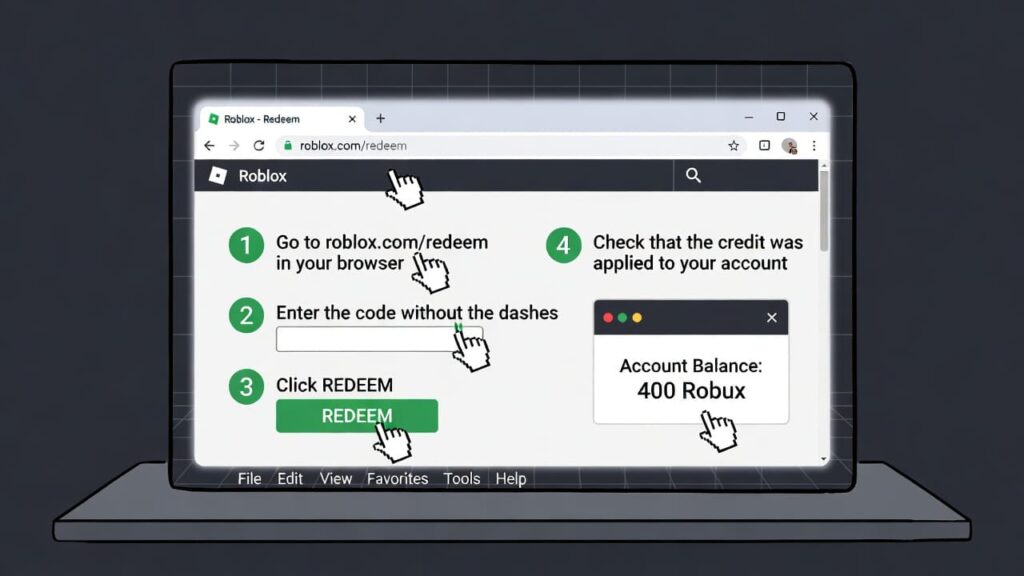
| 2 | Go to roblox.com and sign into your account |
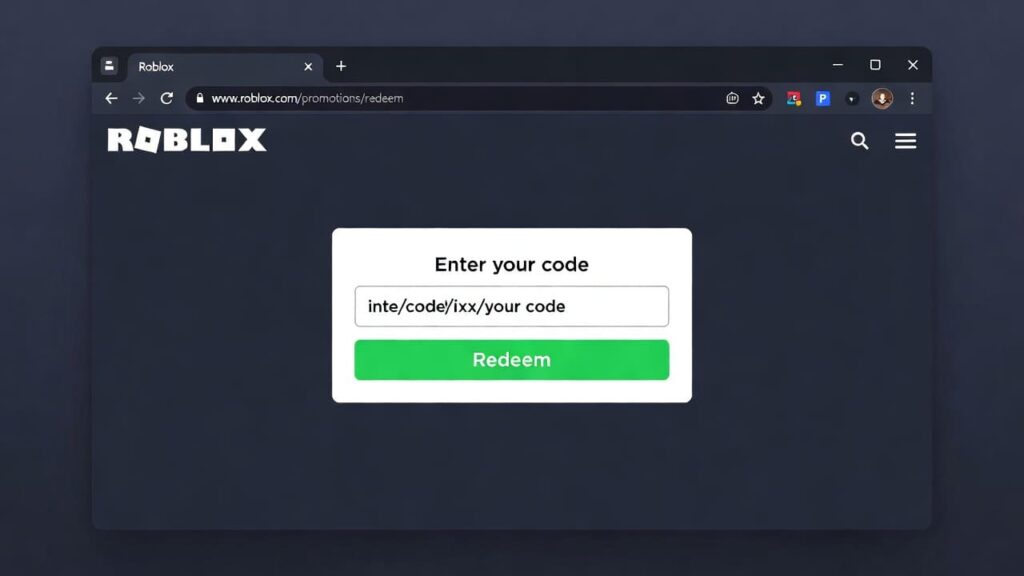
| 3 | Navigate to roblox.com/redeem in the address bar |
| 4 | Find the Enter Code box on the page |
| 5 | Type or paste your code exactly — codes are case-sensitive |
| 6 | Click the Redeem button |
| 7 | If valid, you’ll see a green success message |
| 8 | Open your Profile → Inventory to find your new item |
| 💡 Pro TipAlways copy-paste codes directly — never type them manually.One wrong capital letter or extra space = code fails every time.If copy-pasting, make sure no invisible spaces got added at the start or end. |
How to Redeem Roblox Codes on Mobile — iPhone & Android
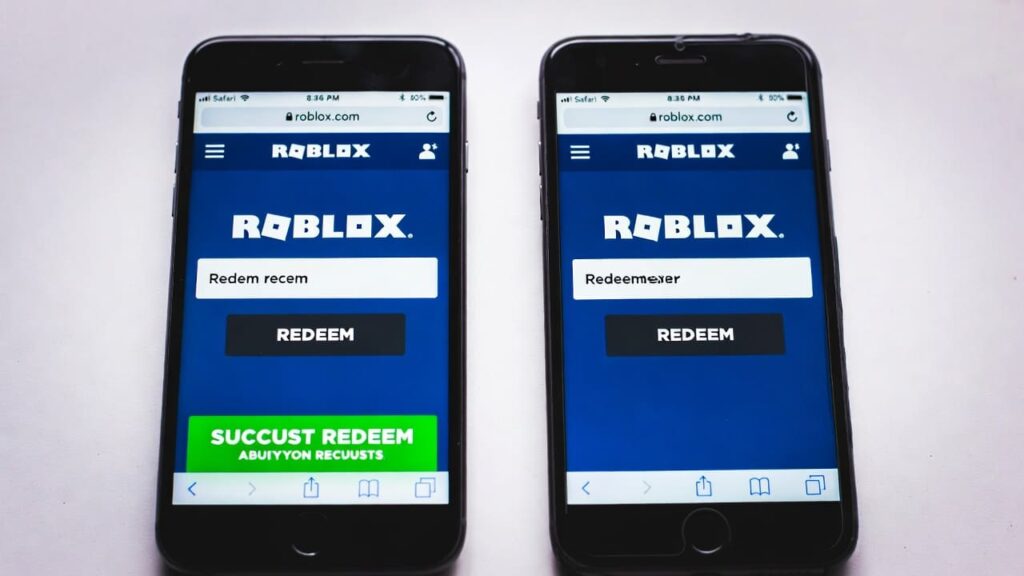
This is where most people get stuck. Here’s the thing Roblox doesn’t make obvious enough: you cannot redeem promo codes or gift cards inside the Roblox app. The app simply doesn’t have a redemption page. You must use a mobile browser.
| 📱 Mobile — iPhone & Android (Browser Only) | |
| 1 | Open Safari (iPhone) or Chrome (Android) — NOT the Roblox app |
| 2 | Go to roblox.com and sign into your account in the browser |
| 3 | Type roblox.com/redeem in the address bar |
| 4 | The mobile browser version of the redeem page will load |
| 5 | Enter your code in the text box — copy-paste recommended |
| 6 | Tap the Redeem button |
| 7 | Success message appears — item added to your account |
| 8 | Open the Roblox app → Avatar or Inventory to equip your item |
| ⚠️ MOBILE WARNING — Read ThisThe Roblox app does NOT have a redeem page built in.Trying to find it in the app settings will waste your time.Always open your phone’s browser first — then go to roblox.com/redeem.This works on ALL mobile devices: iPhone, iPad, Android phones and tablets. |
How to Redeem In-Game Codes Inside Roblox Experiences
In-game codes are different from promo codes — they’re entered inside a specific Roblox game, not on the website. Every game has its own process, but these are the most common methods:
Method 1 — Menu Button (Most Common)
- Launch the Roblox game that has the code
- Look for a Codes, Menu, or Shop button — usually top-left or bottom of screen
- Click it and find the Enter Code section
- Type or paste your code and confirm
- Reward appears in your in-game inventory instantly
Method 2 — NPC Interaction (Event Games)
- Enter the game and find the NPC or booth related to codes
- Walk up to it and press E (PC) or tap it (Mobile)
- Select Redeem Code from the menu
- Enter your code and collect your reward
| 🎮 Popular Games & Their Code MethodsIsland of Move → Approach ‘Play It’ section → Press E → Redeem CodeMansion of Wonder → Find Swag Booth → Press Redeem CodeMission of Wonder → Find the fox NPC → Press E → Redeem CodesMost RPG/Simulator games → Menu button (top of screen) → Codes tab |
Mobile vs PC — Quick Comparison
| 📱 Mobile (iOS & Android) | 💻 PC / Browser | |
| Go to Roblox | Open browser → roblox.com | Open browser → roblox.com |
| Sign in | Log in to your account | Log in to your account |
| Redeem page | Go to roblox.com/redeem | Go to roblox.com/redeem |
| Enter code | Type code exactly — case sensitive | Type code exactly — case sensitive |
| Confirm | Tap Redeem button | Click Redeem button |
| Check inventory | Open app → Inventory | Profile → Inventory |
| ⚠️ Important | Use browser NOT the app | Works directly ✅ |
Working Roblox Promo Codes — March 2026
These are the currently confirmed active official Roblox promo codes as of March 2026. Grab them now — promo codes can expire without warning:
| Promo Code | Reward | Status |
| FREENGNBOI | Nguyen Boi Bundle — hair accessory | ✅ Active |
| FREENGNGON | Nguyen Gon Bundle — hair accessory | ✅ Active |
| MYPURINA | Exclusive dog item — Purina Arena game | ✅ Active |
| SPIDERCOLA | Spider Cola shoulder pet | ✅ Active |
| TWEETROBLOX | Bird Says shoulder pet | ✅ Active |
| ROSSMANN2022 | Rossmann Tote Bag accessory | ⚠️ Check |
| 🚫 No Free Robux Codes Exist — PeriodRoblox has NEVER released a promo code that gives free Robux.Any website, video, or DM claiming to have ‘free Robux codes’ is a scam.The only legitimate ways to get Robux: buy them, earn via Premium, or sell UGC items.Protect your account — never share your password with anyone. |
Code Not Working? Here’s Every Fix
Before you give up on a code, run through this troubleshooting table. 90% of issues fall into one of these six categories:
| Problem | Why It Happens | Fix |
| ❌ Code not working | Already expired — codes die fast, sometimes in hours | Check the date. If expired, move on to the next active code |
| ❌ Typo error | Wrong capitalization or extra space in the code | Copy-paste the code directly — never type manually |
| ❌ Already redeemed | Each code works once per account — can’t use it twice | Check inventory first — the item might already be there |
| ❌ Region locked | Some codes only work in specific countries | Use a VPN as last resort — or find a non-region-locked code |
| ❌ Not logged in | You tried to redeem without being signed into your account | Log in first at roblox.com before going to /redeem |
| ❌ Wrong page | Using the app instead of a browser on mobile | Open Safari or Chrome on your phone — go to roblox.com/redeem |
Where to Find New Roblox Codes — Before They Expire
The biggest mistake players make is finding out about codes after they’ve already expired. Here’s where to look first so you’re always ahead:
- @Roblox on X (Twitter) — codes drop here first Official Roblox social media
- roblox.com/home — event banners often link to active codes Roblox Events page
- Tamagotchi, Barbie, Google, Sanrio — they announce codes on their own accounts too Brand collab announcements
- Major Roblox YouTubers get early access to collab codes YouTube creators
- We update our promo codes list every time a new code drops — bookmark it This site
| 🔔 Set Up Alerts So You Never Miss a CodeTurn on notifications for @Roblox on X/TwitterJoin Roblox’s official Discord server — codes get announced in #announcementsEnable push notifications in the Roblox app for event updatesBookmark roblox.com/redeem — takes 5 seconds to check anytime |
Roblox Code Redemption — FAQs
Q: Can I redeem Roblox codes on Xbox or PlayStation?
No. Gift cards and promo codes can only be redeemed through a web browser at roblox.com/redeem. Gaming consoles don’t have a built-in redemption page. If you’re on console, just grab your phone or a PC and use the browser instead.
Q: Can I use the same Roblox promo code more than once?
No. Every promo code is single-use per account. Once you’ve redeemed it, it’s tied to your account and can’t be used again — even on the same account. However, a friend with a different account can still redeem the same code if they haven’t used it yet.
Q: How long do Roblox promo codes last?
It varies wildly. Some codes last months, some expire in 24 hours. Roblox almost never announces an expiry date upfront, which is why you should always redeem codes the moment you find them. There’s no downside to claiming early and deciding later.
Q: My code says it’s valid but no item appeared — what now?
First, check your full inventory — sometimes items appear in a different category than expected. Second, check if there’s a one-item-per-month limit (this applies to gift cards specifically). Third, try logging out and back in. If still nothing, contact Roblox Support with a screenshot of the success message.
Q: Are there Roblox codes for free Robux?
No. Roblox has never offered promo codes that give free Robux. Gift cards give credit you can spend on Robux, but that’s not the same thing. Any site or creator claiming to have ‘free Robux codes’ is running a scam — they want your account credentials, not your happiness.
Q: Can I redeem a code on someone else’s account?
Technically yes — if you log into their account and redeem it. But you should only do this with accounts you own or have explicit permission to access. Sharing accounts violates Roblox’s Terms of Service and could result in bans.
The Bottom Line: Redeeming Roblox Codes Takes 30 Seconds When You Know How
The process really is simple once you know the two golden rules: always use a browser (not the app on mobile), and always copy-paste your code instead of typing it manually. Those two things alone will solve about 80% of the problems players run into.
For the remaining 20%? Check the error table above. Expired codes, region locks, and already-redeemed items cover almost every other scenario. If none of those apply, Roblox Support is the right next step — they can verify if a code was legitimately applied to your account or if something went wrong on the backend.
Bookmark this page — we update the active codes table every time new promo codes drop. And if you found a code that works and isn’t on our list, drop it in the comments. The community finds codes faster than any single site can track them. 🎮
| Want Every New Roblox Code the Moment It Drops?We track every official Roblox promo code, event drop, and UGC freebie in real time. Bookmark the site and never miss a free item again.→ Redeem Page: roblox.com/redeem | Follow @Roblox on X |